 Back to docs
The prpol library keeps a deliberately small set of canonical defaults in one place: global-variables.scad, at the top level of the library folder. Part modules read these defaults through their parameters, so changing one value changes it everywhere.
The reason these values exist as defaults is that m3 nuts from different manufacturers vary slightly, and 3D printers vary slightly in their dimensional accuracy. The library defaults are a good starting point, but if a nut is too tight or too loose in your prints, tune the matching global default, or pass a custom value in the module call.
The global defaults:
| global_default_hole_diameter | mounting hole diameter in mm (default 3.2, sized for m3 screws). |
| global_default_nut_width | m3 nut width across flats in mm (default 5.5). |
| global_default_nut_thickness | m3 nut thickness in mm (default 2.6). |
| global_default_nut_clearance | clearance in mm added where each nut pocket is cut (default 0.2). |
| prpol_version | the library version, for example [0, 3, 1]. Set by the library itself, not meant to be overridden. |
Overriding a default:
There are two ways to use custom values:
- Edit global-variables.scad itself. The change applies to every part you generate with the library.
- Pass the value in the module call. Assigning a parameter in a module call overrides the default for just that part:
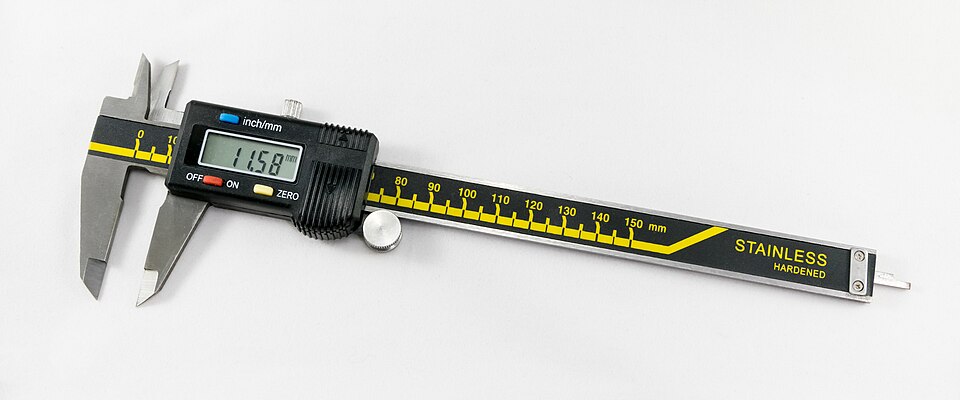
Photo by Jacek Halicki, CC BY-SA 4.0, via Wikimedia Commons.
Measuring m3 nuts with digital calipers:
If your nuts fit too tight or too loose, measure them and use your own numbers:
- Close the caliper jaws fully and press the zero button.
- Nut width: grip two opposite flat sides of the nut with the main jaws and read the value in millimeters. This is the width across flats, the value that belongs in global_default_nut_width.
- Nut thickness: measure the distance between the two flat faces the bolt passes through, again in millimeters. This value belongs in global_default_nut_thickness.
- Keep the clearance in mind: global_default_nut_clearance (default 0.2 mm) is added to these measurements where each nut pocket is cut, so a snug fit stays printable.